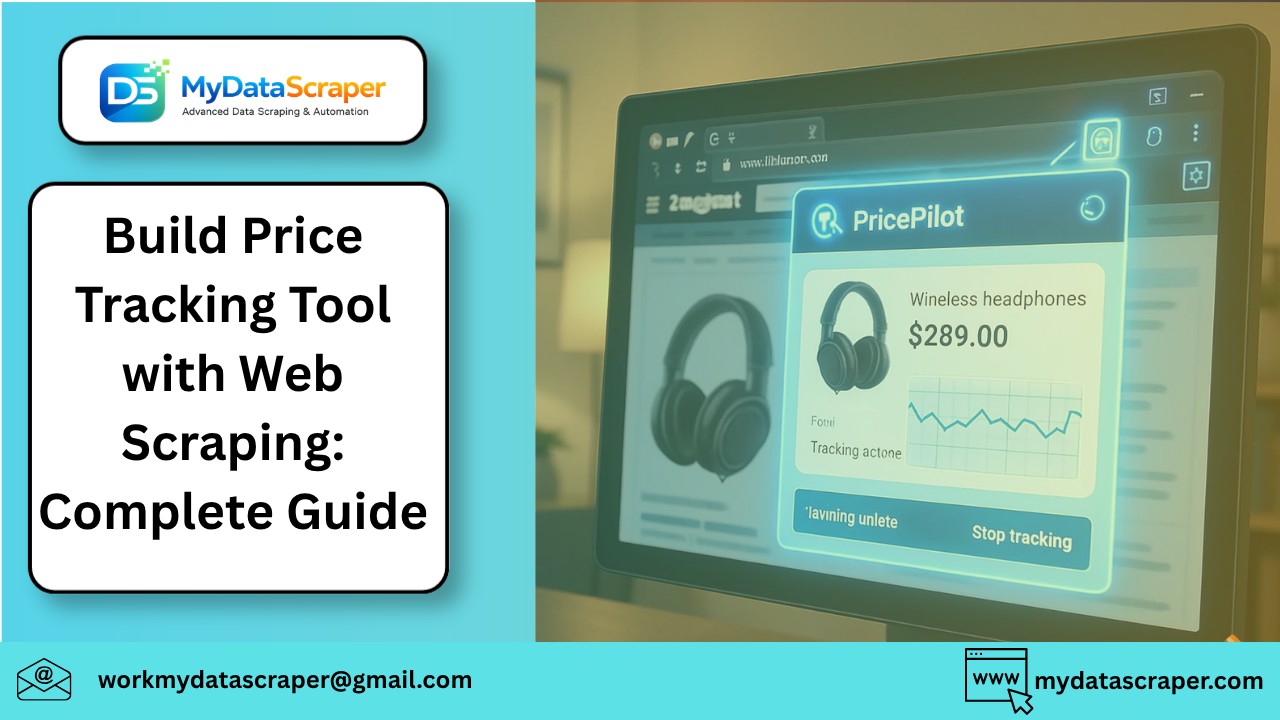
Let’s start with a situation you’ve probably experienced.
You find a product online—maybe a phone, headphones, or even groceries. You check the price today… then again tomorrow… and somehow it’s changed. Sometimes cheaper, sometimes more expensive.
Now imagine if you had a tool that tracked those price changes automatically and alerted you when prices dropped.
That’s exactly what a price tracking tool does—and building one is more achievable than you might think.
In this guide, I’ll walk you through how to build a price tracking tool using web scraping, step by step, in a practical and beginner-friendly way.
What Is a Price Tracking Tool?
A price tracking tool monitors product prices across websites and records changes over time.
It helps users:
- Track price drops
- Compare prices across platforms
- Identify trends
- Make smarter buying decisions
For businesses, it’s even more powerful—it enables competitive pricing strategies and market intelligence.
A Simple Real-Life Example
A friend of mine was waiting to buy a laptop.
Instead of checking prices manually every day, he used a simple script that tracked the product price and sent an alert when it dropped below ₹60,000.
A week later—boom. Price dropped. Instant notification.
He saved money without constantly checking.
That’s the power of automation.
What You Need to Build a Price Tracker
Before jumping into code, let’s understand the components.
1. Target Website
This is where you’ll track prices from.
Examples:
- eCommerce marketplaces
- Brand websites
- Grocery platforms
2. Web Scraper
This extracts product data such as:
- Product name
- Price
- Availability
3. Database or Storage
Stores historical price data.
Options:
- CSV / Excel
- SQLite / MySQL
- Cloud databases
4. Scheduler
Runs your scraper automatically at intervals.
Examples:
- Every hour
- Daily
- Weekly
5. Alert System
Notifies you when prices change.
Examples:
- Email alerts
- Telegram/WhatsApp notifications
- Dashboard updates
Step-by-Step: Build Your Price Tracking Tool
Let’s break it down into actionable steps.
Step 1: Choose a Product Page
Pick a product you want to track.
For example:
- A phone on an eCommerce site
- A specific product URL
This page will be your data source.
Step 2: Inspect the Page
Use browser developer tools to identify:
- Price element
- Product title
- Availability
Look for:
- HTML tags
- Class names
- Unique identifiers
Step 3: Write a Scraper
Using Python (most common approach), you can use:
requests→ fetch pageBeautifulSoup→ parse HTML
Basic Example:
import requests
from bs4 import BeautifulSoupurl = "PRODUCT_URL"headers = {
    "User-Agent": "Mozilla/5.0"
}response = requests.get(url, headers=headers)
soup = BeautifulSoup(response.text, "html.parser")price = soup.find("span", {"class": "price"}).textprint("Current Price:", price)
Step 4: Store the Data
Save the extracted price along with timestamp.
Example (CSV):
import csv
from datetime import datetimewith open("prices.csv", "a", newline="") as file:
    writer = csv.writer(file)
    writer.writerow([datetime.now(), price])
Over time, this builds your price history dataset.
Step 5: Automate the Script
Use a scheduler to run your script automatically.
Options:
- Cron jobs (Linux/Mac)
- Task Scheduler (Windows)
- Cloud schedulers
Step 6: Add Price Alerts
Set a condition:
if float(price) < 60000:
    print("Price dropped! Buy now!")
You can extend this to:
- Send email
- Trigger SMS
- Push notifications
Step 7: Visualize Price Trends
Once you have enough data, you can:
- Plot price graphs
- Identify patterns
- Detect seasonal discounts
This transforms your tool from basic tracking → analytics system.
Handling Real-World Challenges
Building a price tracker sounds simple—but real websites add complexity.
1. Dynamic Content
Many sites use JavaScript to load prices.
Solution:
- Use Selenium or Puppeteer
- Render full page before scraping
2. Anti-Bot Protection
You may face:
- CAPTCHA
- IP blocking
- Rate limits
Solution:
- Use proxies
- Add delays
- Rotate headers
3. Changing Page Structure
Websites update layouts frequently.
Solution:
- Write flexible selectors
- Monitor scraper failures
4. Multiple Variants
Same product may have:
- Different sizes
- Different sellers
- Different prices
Solution:
- Track SKU-level data
Scaling Your Price Tracking Tool
Once your basic tool works, you can scale it.
Track Multiple Products
Instead of one URL, track hundreds.
Multi-Website Tracking
Compare prices across platforms.
Dashboard Integration
Build a UI to:
- View trends
- Compare products
- Monitor alerts
Real-Time Monitoring
Track price changes instantly.
Advanced Features
If you want to go next level, add:
AI-Based Price Prediction
Predict future price drops.
Competitor Monitoring
Track competitor pricing automatically.
Price Drop Alerts for Users
Turn your tool into a product.
API Integration
Provide data to apps or dashboards.
Best Practices
Don’t Overload Websites
- Add delays between requests
- Respect rate limits
Keep Data Clean
- Normalize prices
- Remove duplicates
Monitor Failures
- Log errors
- Handle exceptions
Update Regularly
- Websites change frequently
Final Thoughts
Building a price tracking tool using web scraping is one of the most practical and powerful projects you can create.
It starts simple:
👉 Track one product
👉 Store its price
👉 Add alerts
But it can grow into:
👉 A full competitor intelligence system
👉 A market analytics platform
👉 Even a SaaS product
And once you start tracking prices automatically, you’ll never go back to manual checking again.
Let’s Talk
Have you ever waited for a price drop before buying something?
Or do you usually buy instantly?
Share your strategy in the comments 👇
Want a Ready-Made Price Tracking Solution?
If you want to build or scale a price monitoring system without dealing with scraping challenges, we can help.
👉 Visit: https://www.mydatascraper.com/contact-us/
Let’s build a smarter price tracking system together 🚀