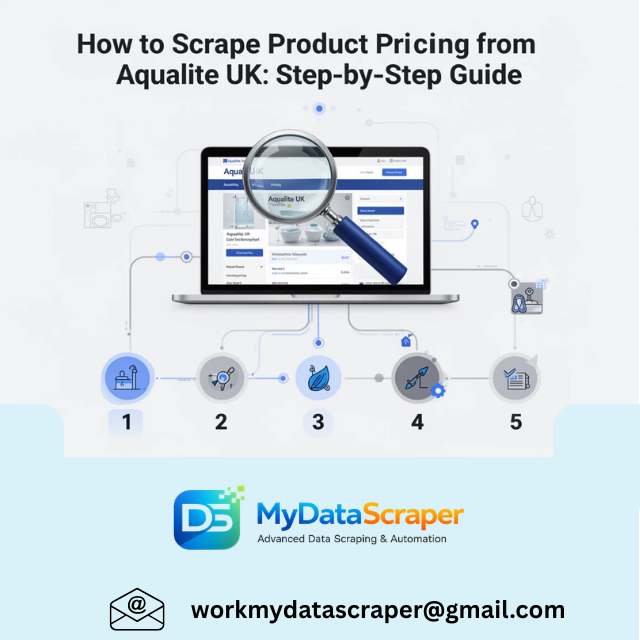
If you’re in the footwear or retail analytics space, tracking competitor pricing is no longer optional—it’s essential. Brands like Aqualite UK offer a wide range of products, and their pricing strategies can reveal valuable insights into market positioning, discounts, and demand trends.
In this guide, I’ll walk you through how to scrape product pricing from Aqualite UK, whether you’re a developer, business owner, or data analyst. I’ll also share practical tips, real-world examples, and how to scale this into a full pricing intelligence system.
Why Scrape Aqualite UK Pricing Data?
Let’s start with a relatable scenario.
Imagine you run an online footwear store. You notice that some of your best-selling products suddenly stop converting. After a quick check, you realize Aqualite UK has reduced prices on similar items.
Now you’re stuck reacting late.
This is exactly why businesses use price scraping—to monitor competitors in real time and adjust strategies proactively.
According to industry insights, companies use scraping to track competitor prices and optimize their own pricing strategies for better margins and competitiveness .
What Data Should You Extract?
When scraping Aqualite UK, focus on these key data points:
- Product name
- Category (sandals, slippers, sports shoes, etc.)
- Price (original & discounted)
- Availability (in stock/out of stock)
- Product URL
- SKU or product ID
- Ratings/reviews (if available)
This creates a complete pricing intelligence dataset.
Step-by-Step: How to Scrape Aqualite UK
Step 1: Identify Target Pages
Start with:
- Category pages (e.g., men’s footwear, women’s footwear)
- Product detail pages
👉 Why both?
- Category pages help you discover products
- Product pages give accurate pricing and details
This dual approach is commonly used in e-commerce scraping to ensure complete datasets .
Step 2: Inspect Website Structure
Open the website in Chrome → Right-click → Inspect.
Look for:
- Price element (usually inside
<span>or<div>) - Product title
- Discount tags
Check if:
- Content is static (HTML)
- Or dynamic (loaded via JavaScript)
Step 3: Choose Your Scraping Method
Option 1: Python (Most Flexible)
Use:
requests+BeautifulSoup(for static pages)SeleniumorPlaywright(for dynamic pages)
Example:
import requests
from bs4 import BeautifulSoupurl = "https://example.com/product-page"
headers = {"User-Agent": "Mozilla/5.0"}response = requests.get(url, headers=headers)
soup = BeautifulSoup(response.text, "html.parser")title = soup.find("h1").text
price = soup.find("span", class_="price").textprint(title, price)
For JavaScript-heavy sites, use Selenium:
from selenium import webdriverdriver = webdriver.Chrome()
driver.get("https://example.com")price = driver.find_element("class name", "price").text
print(price)
Modern scraping often combines both approaches for accuracy .
Option 2: No-Code Tools
Tools like:
- Apify
- Octoparse
- ParseHub
These allow you to:
- Click and select elements
- Automate scraping
- Export data to CSV/JSON
Option 3: Scraping APIs (Best for Scale)
If you’re scraping at scale, use APIs that handle:
- Proxy rotation
- CAPTCHA bypass
- Scheduling
This is ideal for real-time pricing tracking.
Step 4: Handle Pagination
Most category pages have multiple pages.
Make sure your scraper:
- Iterates through all pages
- Collects all product URLs
Step 5: Store the Data
Save scraped data into:
- CSV (for quick analysis)
- Database (MySQL, MongoDB)
- Google Sheets (for dashboards)
Step 6: Automate & Schedule
Pricing changes frequently.
Set up:
- Hourly or daily scraping
- Alerts for price drops
Real-time tracking helps maintain an updated pricing database, which is critical for competitive analysis .
Common Challenges (And How to Solve Them)
1. Anti-Bot Protection
Websites may block scraping using:
- CAPTCHA
- Rate limiting
Solution:
- Use rotating proxies
- Add delays between requests
2. Dynamic Content
Prices may load via JavaScript.
Solution:
- Use Selenium or Playwright
- Intercept API calls
3. Data Inconsistency
Different pages may have different formats.
Solution:
- Normalize data during processing
4. Website Changes
Even small UI updates can break scrapers.
Solution:
- Monitor and update scripts regularly
Real-World Use Case
A footwear retailer tracked Aqualite UK pricing daily and discovered:
- Prices dropped every 10–15 days
- Discounts increased before weekends
- Certain categories (like sliders) had aggressive pricing
By aligning their promotions with these patterns, they:
👉 Increased conversions
👉 Reduced unnecessary discounts
👉 Improved profit margins
How MyDataScraper Can Help
If you don’t want to deal with infrastructure, maintenance, and anti-bot systems—this is where MyDataScraper comes in.
We provide:
✔ Real-Time Price Monitoring
Track Aqualite UK pricing changes automatically
✔ Category-Wise Data Extraction
Analyze pricing across different product segments
✔ Scalable Scraping APIs
Handle thousands of products effortlessly
✔ Clean & Structured Data
Ready-to-use datasets for analysis
✔ Custom Dashboards
Visualize trends, price drops, and competitor strategies
Best Practices for Aqualite Price Scraping
- Respect website terms and legal guidelines
- Avoid aggressive scraping (prevents blocking)
- Use caching to reduce repeated requests
- Validate data regularly
- Combine pricing data with sales insights
The Bigger Picture: Pricing Intelligence
Scraping Aqualite UK isn’t just about collecting prices—it’s about building a pricing intelligence system.
With the right setup, you can:
- Monitor competitors in real time
- Predict pricing trends
- Optimize your own pricing strategy
- Increase profitability
Final Thoughts
Scraping product pricing from Aqualite UK can unlock powerful insights—but only if done correctly.
Whether you’re starting with a simple script or building a large-scale data pipeline, the key is:
👉 Consistency
👉 Accuracy
👉 Automation
Once you have that, you’re no longer reacting to the market—you’re staying ahead of it.
Let’s Hear From You!
Have you ever tracked competitor pricing manually or using tools?
What challenges did you face?
Drop your thoughts in the comments—I’d love to hear your experience!
Need Help with Aqualite UK Data Scraping?
If you want to build a reliable pricing tracking system or extract large-scale product data without the hassle—we’re here to help.
👉 Contact us: https://www.mydatascraper.com/contact-us/
Let’s turn pricing data into your competitive advantage 🚀